Follow the wind
As the wind shifts, HazeVane sends more of the haze to the fixtures that can carry it where you want it.
 HazeVaneGet started
 Wind-aware control for outdoor haze
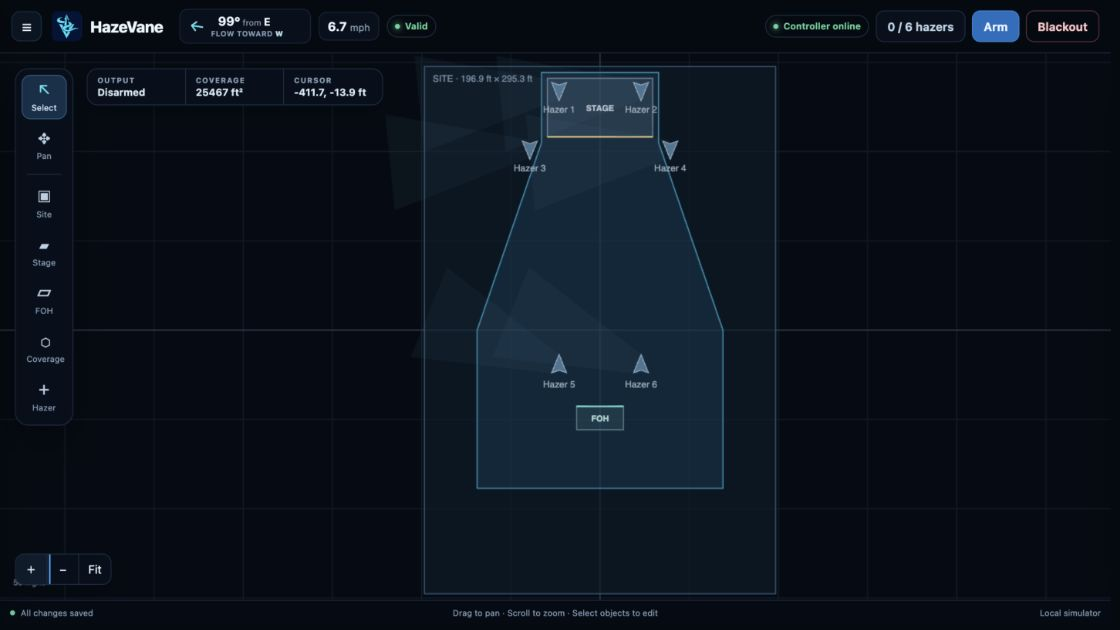
HazeVane watches the wind and shifts haze toward the fixtures best placed to carry it across your stage. As conditions change, the mix follows—helping maintain coverage without babysitting every machine.
Built for outdoor shows
Live windVisual site layoutConsole controlWired networkNo cloudOn an outdoor stage, a hazer can go from useful to wasteful in seconds. HazeVane combines your site layout with live wind measurements to understand how much each fixture can help. You choose the overall haze level; HazeVane handles the moving target.
HazeVane turns live conditions into clear, useful choices while leaving the important show decisions in human hands.
As the wind shifts, HazeVane sends more of the haze to the fixtures that can carry it where you want it.
Choose Fluid Conservation when efficiency matters most. HazeVane eases back on fixtures that are not helping, without asking more from the rest.
Wind, stage, coverage, fixtures, and live plume decisions share one clear visual workspace.
Your console sets power, output, and the overall haze level. HazeVane handles distribution between fixtures.
Select any hazer to see what it is doing and why, with clear guidance when you need to tune the system.
If wind data disappears, HazeVane eases back to an even mix. If console control is lost, it follows the recovery plan you chose.
The result is automatic enough to be useful and visible enough to be trusted.
Watch direction, speed, and sensor health
Compare the wind with stage and coverage
See where each hazer can carry the haze
Keep your overall level moving with the wind
The operator view brings your site, the wind, and every hazer together—so the system's decision is understandable at a glance.
Wind, stage, coverage, fixtures, and live plume decisions stay together on one canvas.
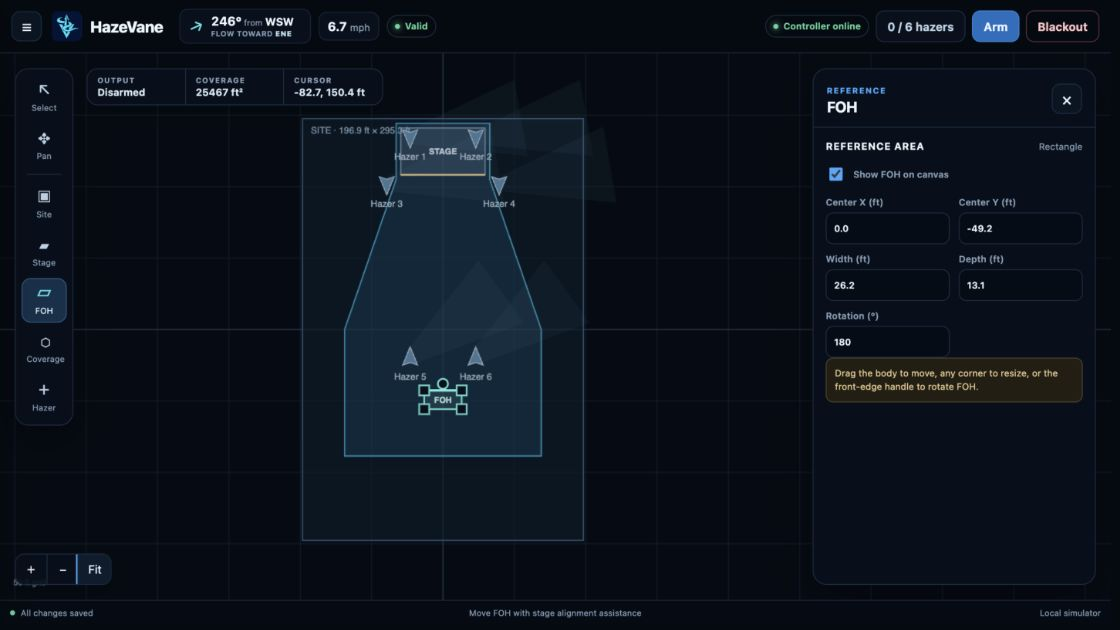
Place the stage, FOH, coverage area, and hazers where they actually live. Direct controls make adjustments quick when the site changes.
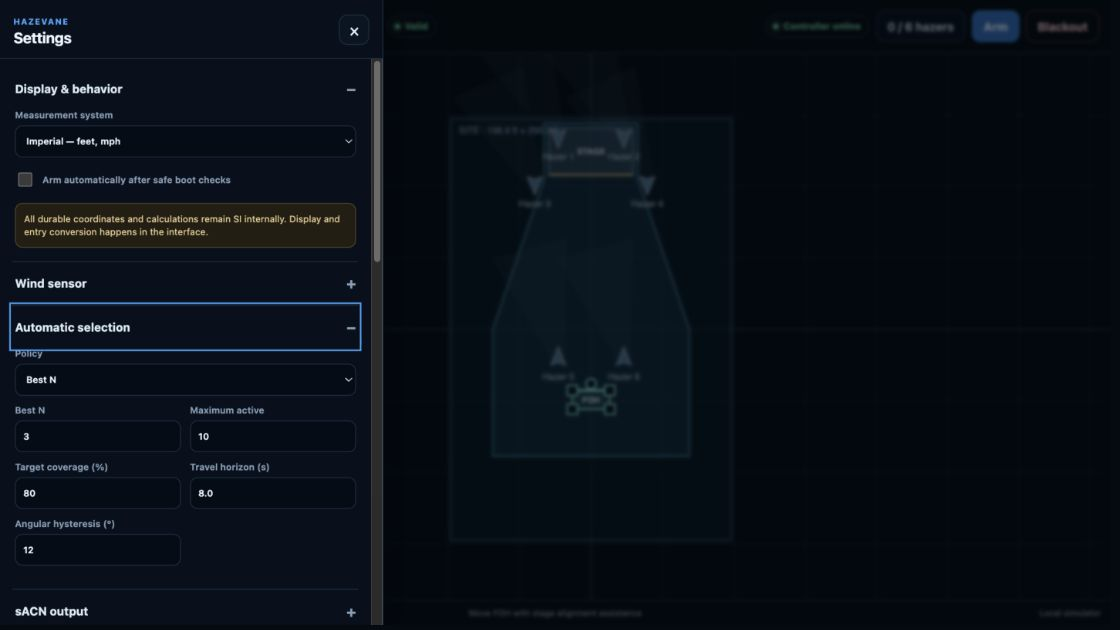
Automatic follows the wind, Fluid Conservation focuses on waste, and Uniform Output gives every enabled hazer the same level.
Bring HazeVane into the same workflow as the rest of the show. The console can control machine power, enable or stop output, set the overall haze level, and test individual fixtures—while HazeVane decides where that output will be most useful.
Exact patch and control behavior are documented in Getting started and the product manual.
HazeVane's controller software is running healthy on target hardware. It works locally on the show network and keeps machine power in the operator's hands. If wind direction becomes unavailable, HazeVane eases back to an even mix instead of making an abrupt control change. Detailed commissioning boundaries remain in the product manual.
Read operating guidanceReady when the wind moves